VIN scanner: get all seventeen characters right
One mis-read character checks the wrong car. Scan the door-jamb barcode with the app, or type the VIN carefully below — the decode and the record counts are free either way.
Have the VIN already? Check it here
Free decode and record counts, no account. Or search by US license plate.
256-bit encrypted · No sign-up · Instant
Or scan the barcode with your camera
Free · no account · iOS 17+

Quick Answer
- What is a VIN scanner?
- Anything that captures a vehicle's 17-character VIN without you retyping it. The one we ship is a phone camera reading the barcode printed beside the VINon the driver's door-jamb label. Where there is no barcode, the fallback is careful typing — of the VIN itself, or of a US plate that resolves to it. The point is the same either way: seventeen characters with no transcription error, because one wrong character checks the wrong car.
- Is there a free VIN scanner?
- Yes — our iPhone app scans the barcode with the camera, decodes the vehicle and shows how many damage, auction, salvage and odometer records exist on that VIN, all before any payment. If you already have the VIN and do not want to install anything, the form on this page runs the same free preview in the browser; that is not a scanner, but it reaches the same answer. The decode itself rides on NHTSA's public vPIC service, which we query without an API key.
- Why not just type the VIN in?
- You can, and the form above does exactly that — but do it slowly. A VIN never contains the letters I, O or Q, precisely because they are near-identical to 1 and 0 in most stamped and printed fonts. Those are also the characters people mis-copy. Type a 0 as an O and you either get an error or, worse, a plausible decode of a different vehicle. Scanning exists to delete that failure mode, not to save time.
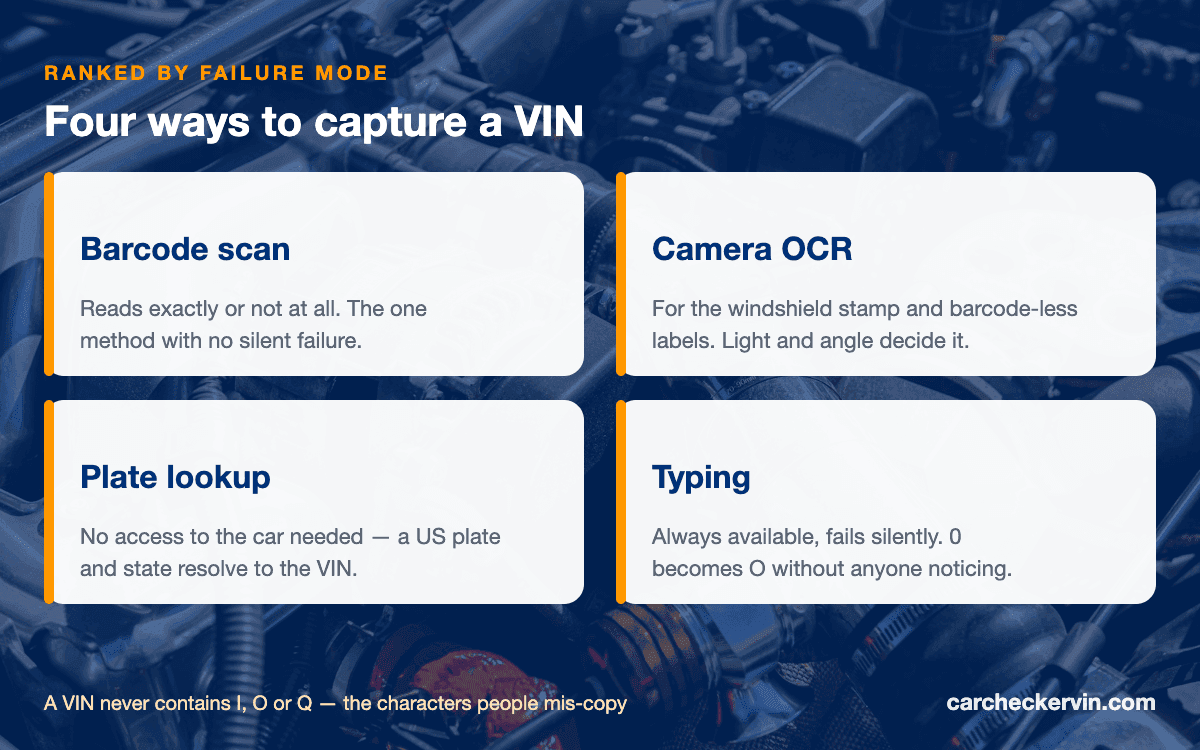
Four ways to capture a VIN, ranked by how they fail
Every method ends in the same seventeen characters. What differs is the failure mode — and the one to avoid is the method that fails silently:
Barcode scan
The label on the driver's door jamb usually prints a barcode right beside the VIN. A barcode read either resolves or it does not — which is the point: unlike a hand-copied VIN, a failed scan announces itself instead of quietly handing you the wrong car.
Photograph it, then read it back
For the stamped plate under the windshield, or older labels with no barcode, photograph it and read the characters off the picture on a bright screen. Slower than a scan, but far kinder than squinting at a dim jamb — and you keep the photo as a record.
License plate lookup
No physical access to the car at all — an online listing, a car across the street. A US plate plus its state often resolves to the VIN; when it does not, the form says so and you are back to reading the jamb.
Typing it
Always works, fails silently. Seventeen characters copied by hand is where 0 becomes O and 1 becomes I. If you must type, copy from the title document rather than the metal — and the form here warns you when a North American VIN fails its check digit.
The camera path: our free iPhone scanner
The app exists for one job this website cannot do: reading a barcode off a jamb in a dim lot. Everything after the read — the decode, the record tally, the $14.99report — is identical to what happens here, because it is the same service. Free, 2.2 MB, iOS 17 or later, and recall alerts stay free permanently.
There is no Android version. On any other phone, the form at the top of this page is the same check minus the camera.
What a scan actually kicks off
Capturing the characters is step one of four. The other three are why anyone bothers.
- 1CaptureBarcode or keyboard — seventeen characters, and never an I, O or Q.
- 2Decode freeYear, make, model, trim, engine and plant, from NHTSA's public vPIC database.
- 3Count the recordsDamage, auction, salvage, title and odometer entries on file for that exact VIN.
- 4Then decideCounts of zero, walk on for free. Real records, the full report explains them.
Scanned it? See what is on file
Free decode and record counts first — the $14.99 report only makes sense once the counts say there is something to read.
Where to go from a captured VIN
Prüfen Sie die Fahrgestellnummer immer vor dem Kauf
Die kostenlose Vorschau zeigt Title Brands (US-Titel-Kennzeichnungen), Diebstahlstatus und offene Rückrufe in Sekunden und meldet, ob Unfall- und Tachodaten vorliegen. Die vollständige Historie kostet 19,95 € — einmalig, ohne Abo.
VIN scanner — frequently asked
Where do I point the scanner on the car?
Two places on almost any car. The certification label inside the driver's door carries the printed VIN, usually with a barcode beside it. Passenger cars usually also carry a stamped plate at the base of the windshield on the driver's side, readable through the glass; that one is metal rather than a barcode, so it is a job for careful eyes. Motorcycles, trailers and many commercial vehicles put theirs elsewhere entirely.
What barcode format is a VIN barcode?
Usually a subset of Code 39, which is why a general-purpose QR reader often shrugs at a door jamb. The formats, the exceptions and the reason a VIN-aware reader beats a generic one are the subject of our VIN barcode page — this page stops at getting the characters, whichever way you get them.
Is the CarCheckerVIN scanner really free?
The scan, the decode, the plate lookup and the record counts are free with no account — the app is a 2.2 MB download for iPhone and iPad on iOS 17 or later. What costs money is the full 20-section history report, $14.99 as a one-off in-app purchase at the same price as this website. Safety recall alerts are free permanently. There is no Android version, and the app is in English only.
Can a scanner read the VIN of any year of vehicle?
Modern vehicles carry the standardised 17-character VIN, and that is what scanners and decoders are built for. Older vehicles predate that standard: each manufacturer ran its own numbering, with different lengths and no check digit, so a scanner may read characters off the metal that standard decoding cannot make sense of. For those, start from the classic-car side of this site rather than a scanner.
What happens after the scan?
Capture is the boring half. The seventeen characters go to a free decode — year, make, model, trim, engine, plant — and then to a tally of what is on file against that VIN. Seeing the tally before paying is the whole point: a row of zeros ends the question for free, and a row of real numbers tells you the paid report has something in it.
Do I need the app, or does the website do the same thing?
Everything except the camera. Typing a VIN into the form on this page runs the identical free preview in the browser, and the plate lookup works on the web too. The one thing a web page cannot do reliably is read a barcode off a door jamb in a dim parking lot — that is the app's job, and the only real reason it exists.
Seventeen characters, zero typos
Capture the VIN whichever way suits the car in front of you — the check that follows is free.
No sign-up · Preview first · Instant
Passende VIN-Abfragen
Weitere Tools, um die Historie jedes Fahrzeugs zu prüfen