VIN Scanner App for iPhone — Scan It, Don't Type It
Point your phone at the barcode on the door jamb and the app reads the VIN, decodes the car, and tells you how many records exist on it before you pay anything. Free to download, no account, and safety recall alerts that stay free forever.
 Free · 2.2 MB · iOS 17.0 or later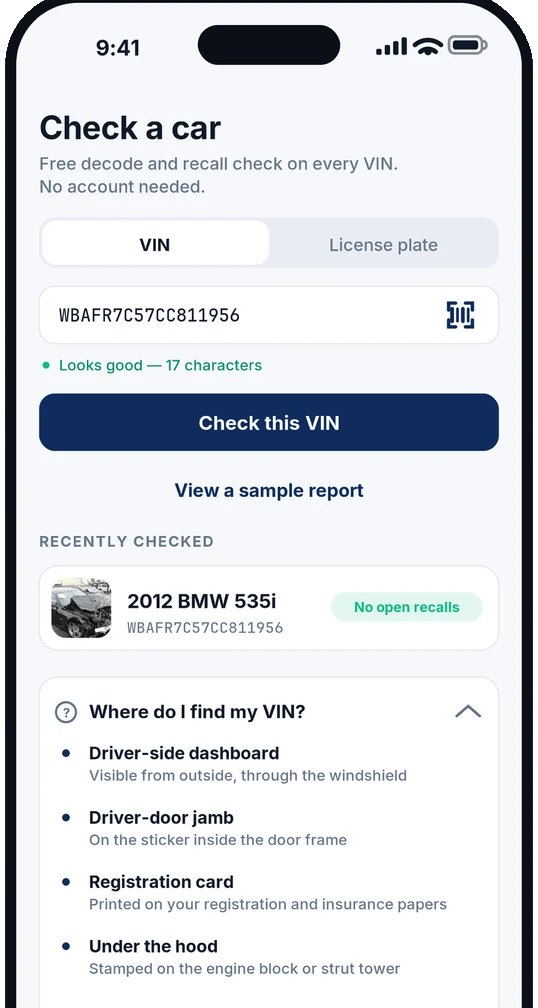
Quick Answer
- What is the CarCheckerVIN iPhone app?
- CarCheckerVIN is a free VIN scanner and vehicle history app for iPhone and iPad. It reads a VIN barcode with the camera, decodes the car at no cost, and shows how many damage, auction, salvage and photo records exist on that VIN before you decide whether to buy the $14.99 full report. It requires iOS 17.0 or later and there is no Android version.
- How much does the CarCheckerVIN app cost?
- The app is free to download with no account required. A single full vehicle history report is $14.99 as an in-app purchase, or less per report in a pack: $35.99 for 3 ($12.00 each), $54.99 for 5 ($11.00 each) and $89.99 for 10 ($9.00 each). Credits stay redeemable for twelve months on any VIN. There is no subscription, and NHTSA recall alerts are free permanently.
- What can the app do for free?
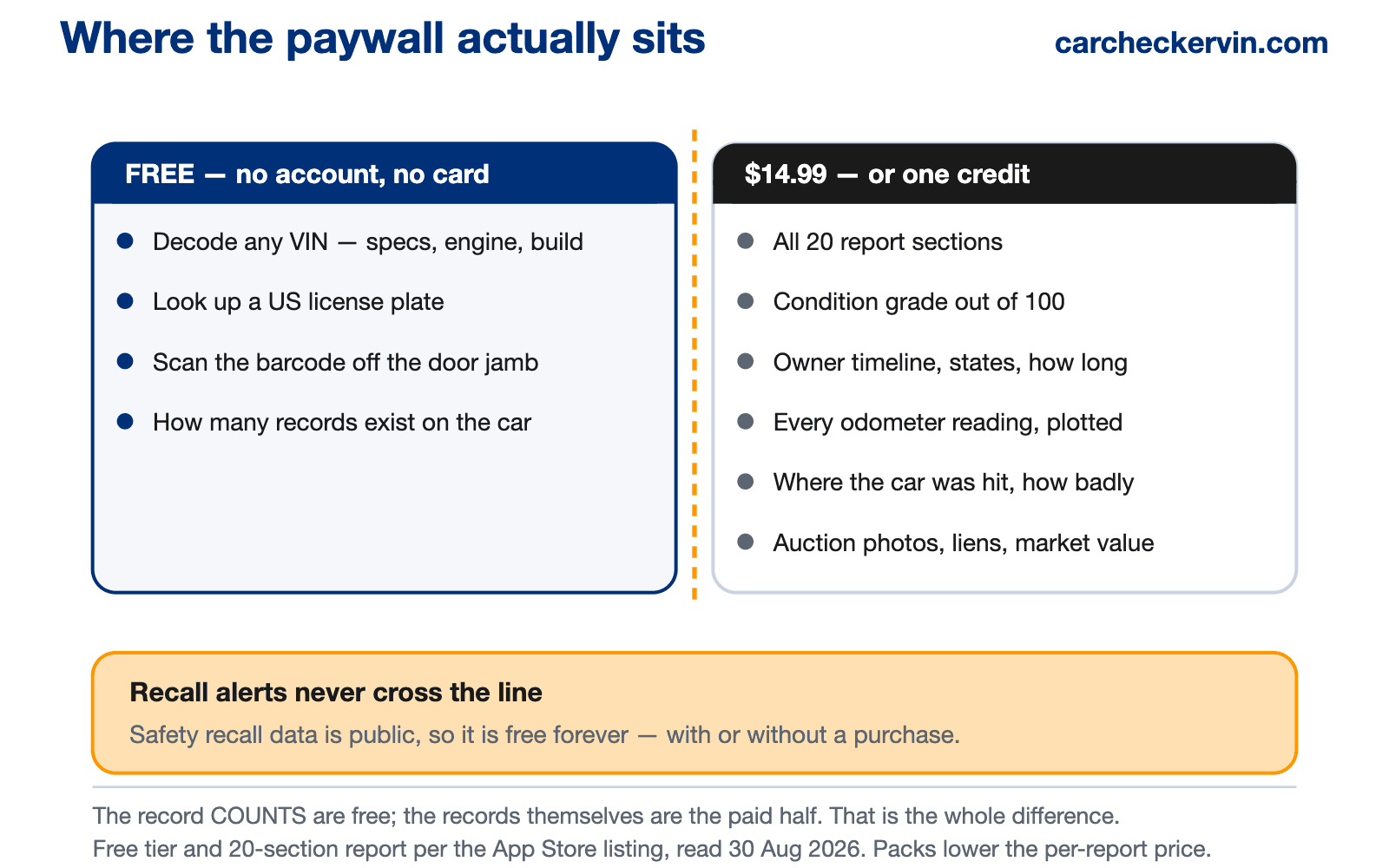
- Without paying anything you can decode any 17-character VIN, scan the VIN barcode with the camera, look up a US license plate, and see the record counts for that vehicle — how many damage, photo, auction, sale-listing, salvage, title and odometer records exist. Safety recall monitoring is also free forever. Only the 20-section full report is paid.
The one thing the website cannot do
Everything else on this site works fine in a phone browser. Scanning does not — a web page cannot reliably read a stamped barcode off a door jamb in a dim lot. That is the whole argument for installing the app rather than bookmarking the site.
It matters more than it sounds. A VIN is seventeen characters, and in most stamped and printed fonts 0 and O and 1 and I are close to identical. Get one wrong and you either see an error or, worse, a decode for a different car that looks plausible enough to believe. The barcode removes the transcription step entirely.
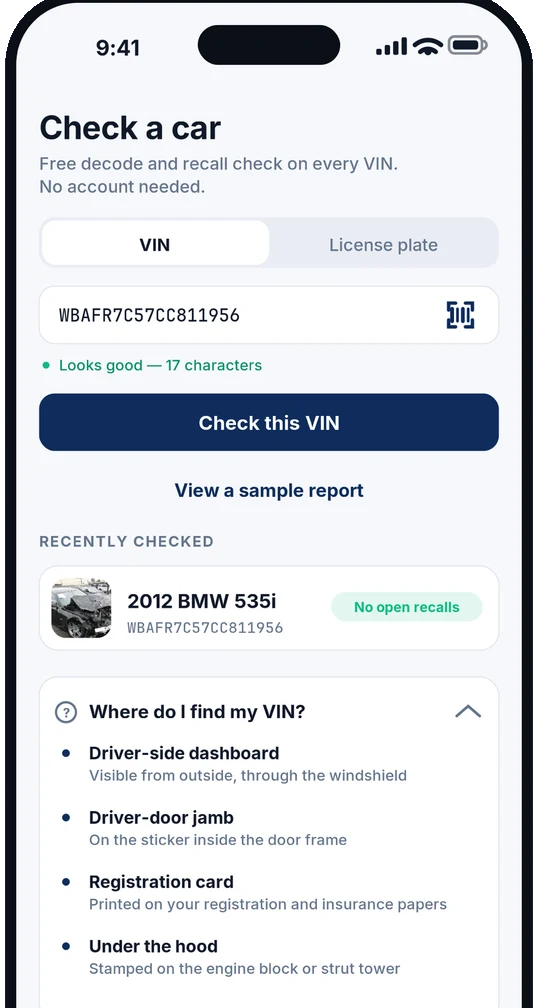
Scan the barcode
Door-jamb sticker or through the windshield — the camera reads all seventeen characters.
Type it if you prefer
The VIN field is still there, with live validation that tells you when the length is right.
Or use the plate
A US license plate works too, for when you are looking at the back of a car and nothing else.
The panel at the bottom of that screen is there because the most common reason people abandon a VIN check is not knowing where to find the number: driver-side dashboard through the windshield, the sticker inside the driver's door frame, your registration card, or stamped on the engine block.
You see the record counts before you pay
This is the part worth understanding before you download anything, ours included. Most VIN apps take your money and then show you what they found — which means you can pay full price for a report on a car that has almost nothing on file, and there is no way to know in advance.
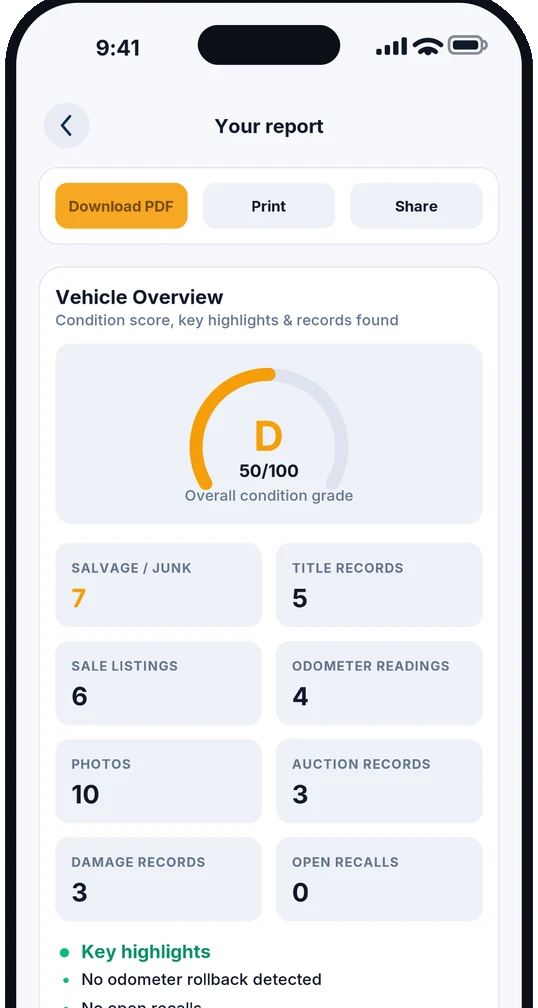
The free decode here ends with a list of counts: how many damage records, photos, auction records, sale listings, salvage and junk records, title records and odometer readings exist for that specific VIN. If the answer is a handful of thin entries, do not buy. If it is seven salvage records, you have learned something important for free.
How it goes on the lot
The seller is waiting and you have about ninety seconds. This is the order that works.
- 1
Scan the door jamb
Open the driver's door, point the camera at the sticker. No typing, no asking the seller to read it out.
- 2
Read the free decode
Confirm the year, make, model, engine and build match what the advert claimed. Mismatches end conversations early.
- 3
Check what's on file
Counts appear before any payment. Seven salvage records is a walk-away; nothing on file is a different conversation.
- 4
Buy only if it's worth it
One report is $14.99, or spend a credit from a pack. The PDF is emailed to you and is yours to keep.
No phone handy? Run it here
The website does everything the app does except the camera scan. Same records, same $14.99 report, same free preview.
What the paid report actually shows
Twenty sections, opened by one purchase or one credit. The app leads with a condition grade so you get the verdict before the detail, then lets you dig into whichever section matters for the car in front of you.
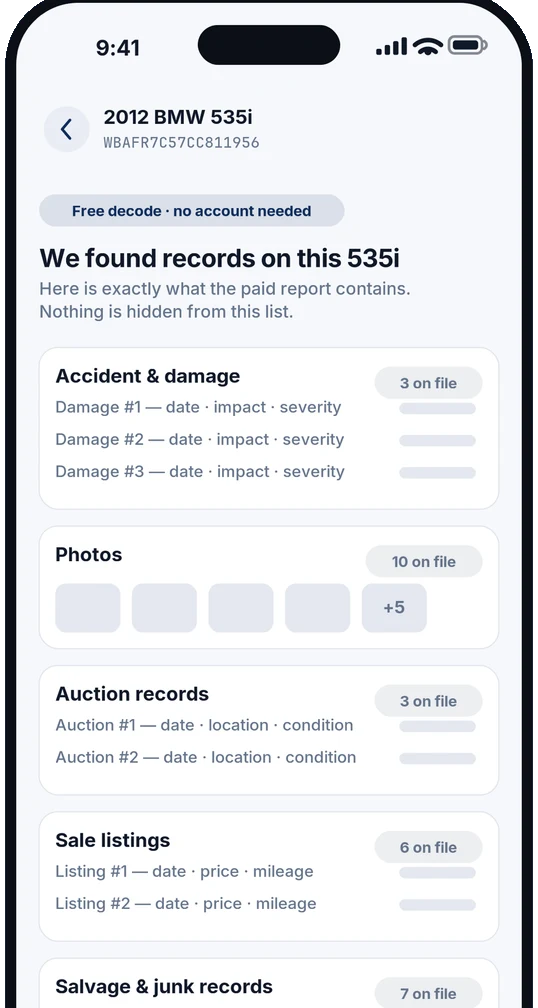
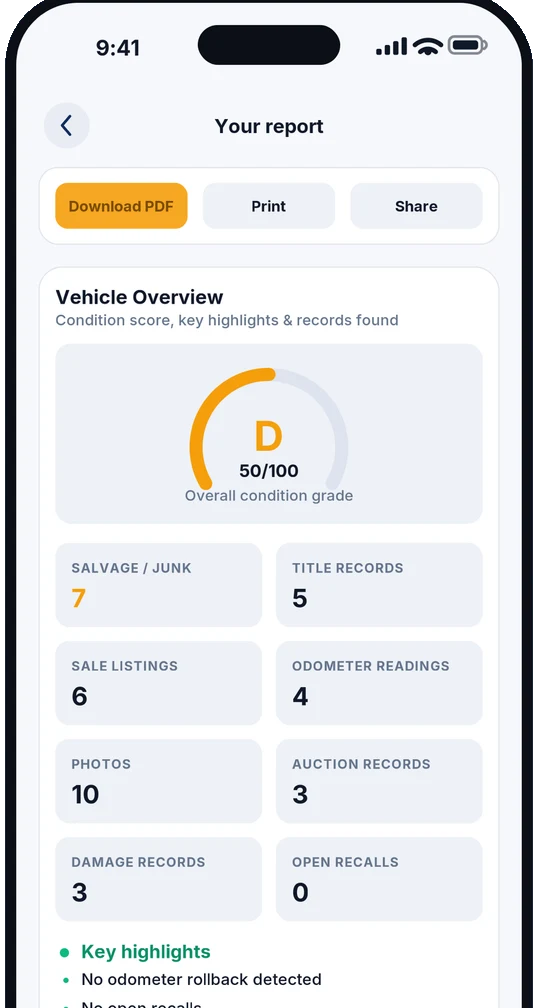
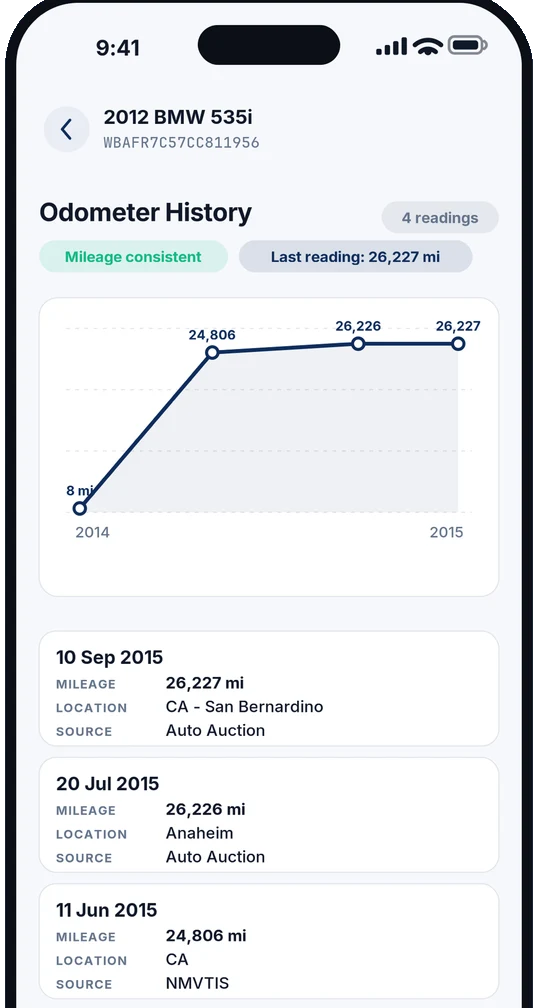
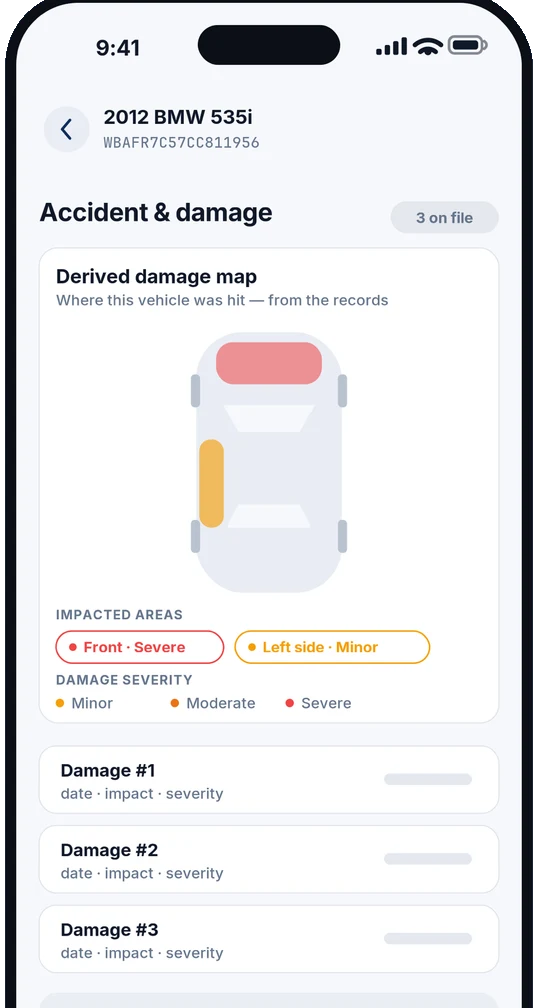
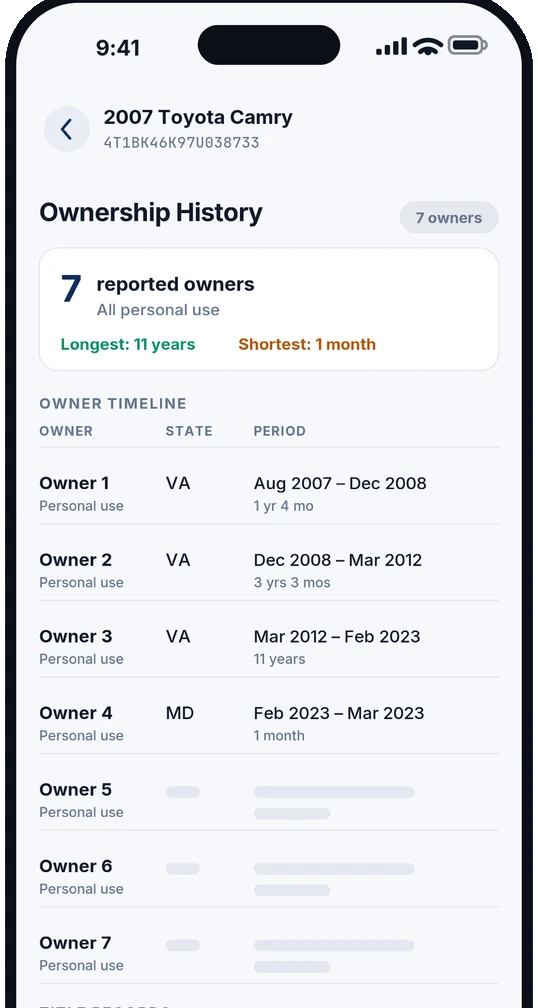
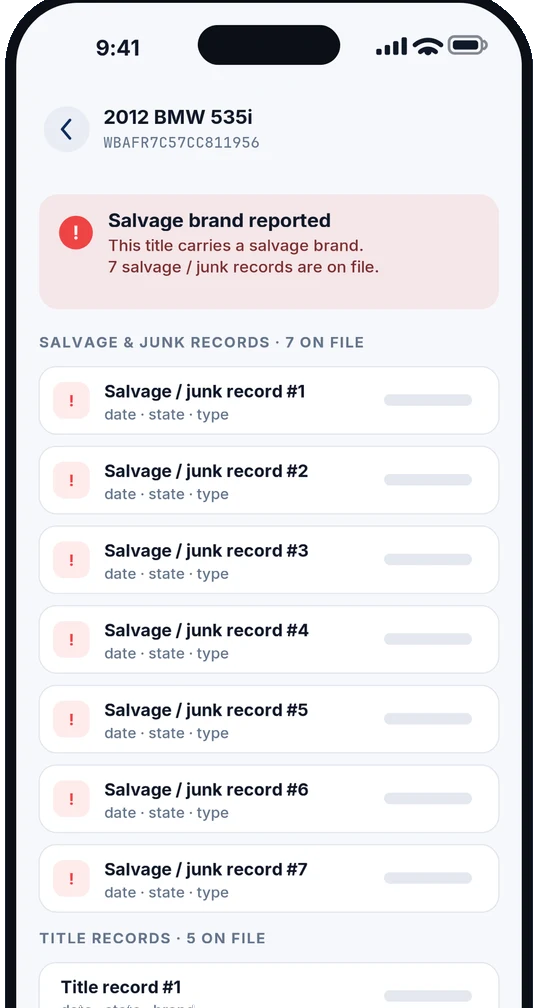
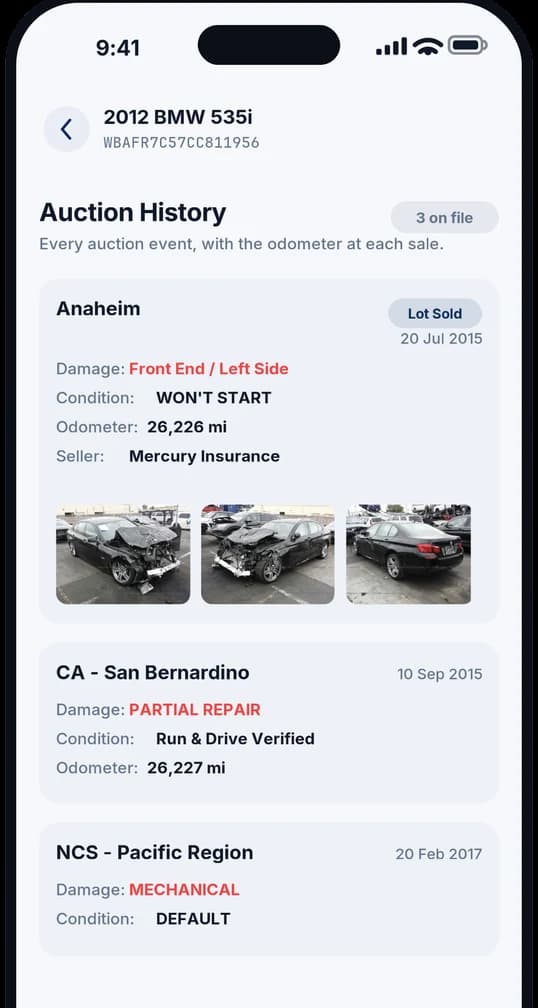
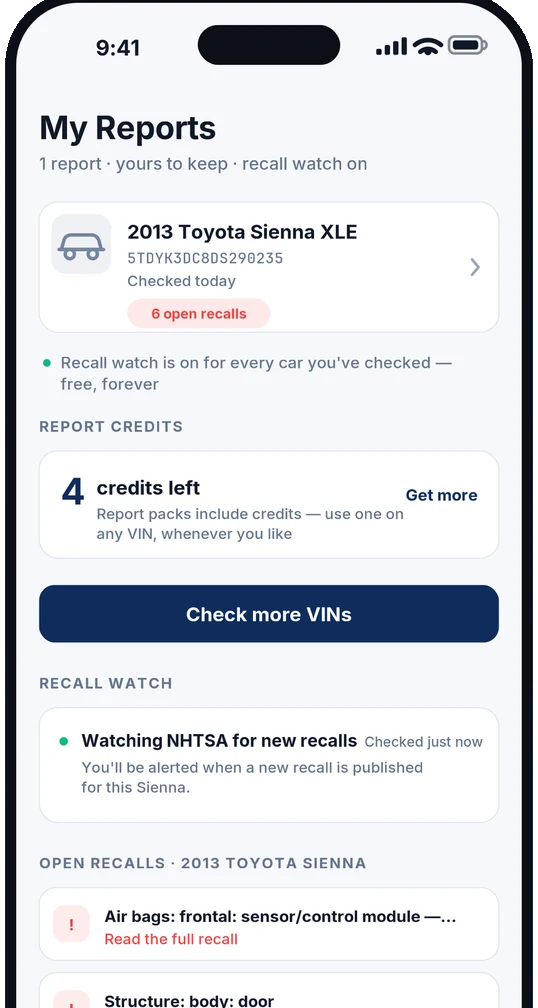
Records come from NMVTIS-approved sources — the federal title system that state motor vehicle agencies, insurers and salvage yards report into. See how title brands work · what an odometer timeline can prove
Recall alerts are free, forever
Every car you check gets watched. The app monitors NHTSA and tells you when a new recall is published against that VIN, including the urgent park-outside warnings that matter the same week they are issued.
No purchase required, ever. Safety recall data is public information, so charging for it would be charging you for something the government already publishes. Recalls are also repaired free of charge at any franchised dealer, however many owners the car has had. If you only ever use this app to watch a car you already own, that is a perfectly good reason to have it.
One price, or a pack — but no subscription
There is no monthly fee and nothing to remember to cancel. Buy a single report, or buy a pack that banks credits you can spend on other cars later — which is what most people actually need, because you rarely look at only one car.
| Pack | Price | Per report |
|---|---|---|
| 1 report | $14.99 | — |
| 3 reports | $35.99 | $12.00 each |
| 5 reports | $54.99 | $11.00 each |
| 10 reports | $89.99 | $9.00 each |
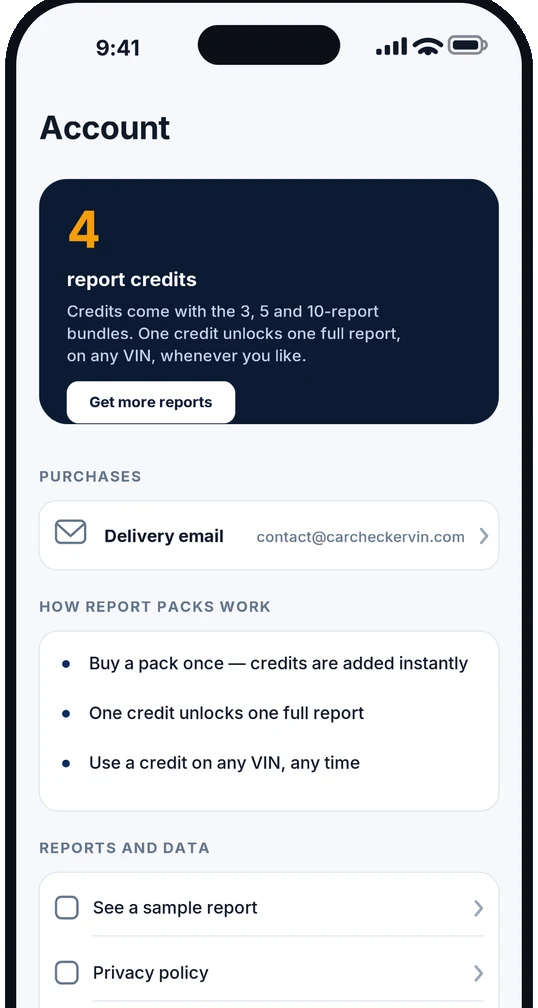
Credits are not tied to a car until you spend one, and they stay redeemable for twelve months on any VIN. The account screen shows what you have left and the email your reports go to — the only piece of information the app ever asks you for, and only at the point you buy something. In-app prices are identical to the ones on this website.
What it does not do
Worth knowing before you spend the download, because none of this is on the App Store page in so many words.
No Android version
iOS only, and it needs iOS 17.0 or later. On Android, use the website — it does everything except the camera scan.
It is not a mechanical inspection
Records tell you what was reported. They cannot tell you the clutch is going. Still get it looked at.
US and Canada only
Reports cover vehicles titled in the United States and Canada. A VIN from elsewhere will decode but has no history to pull.
No account, so no cross-device history
There is nothing to log into, which is deliberate. It also means your reports live on the device and in the email we send you.
App details
| Name on the App Store | VIN Check: Vehicle History |
|---|---|
| Price | Free to download, with in-app purchases |
| Version | 1.0.2, updated 29 August 2026 |
| First released | 18 August 2026 |
| Size | 2.2 MB |
| Requires | iOS 17.0 or later — iPhone and iPad |
| Category | Utilities (also listed under Shopping) |
| Age rating | 4+ |
| Language | English |
| Vehicle coverage | Cars titled in the United States and Canada |
Common questions
- Is the CarCheckerVIN app free?
- The app is free to download and there is no account to create. Decoding a VIN, looking up a US license plate, scanning a VIN barcode, and seeing how many records exist on a car all cost nothing. Safety recall alerts are free permanently. The full vehicle history report is the paid part, at $14.99 for one report or less per report if you buy a pack.
- Can the app scan a VIN with the camera?
- Yes — that is the main reason to use the app rather than the website. You point the phone at the VIN barcode on the door jamb sticker or through the windshield and it reads the seventeen characters for you. Typing a VIN by hand is where mistakes happen, because 0 and O, and 1 and I, look alike in most stamped fonts and a single wrong character returns either nothing or somebody else's car.
- What do I get before I pay anything?
- The decoded vehicle — year, make, model, engine, transmission and factory build — plus a list of how many records exist on that specific car: damage records, photos, auction records, sale listings, salvage and junk records, title records and odometer readings. You see the counts, then decide whether the report is worth buying. Most apps show you the counts only after you have paid, which means you can spend money on a car with nothing on file.
- Is there a subscription?
- No. There is no monthly fee and nothing to cancel. You either buy a single report or buy a pack of report credits, and credits stay redeemable for twelve months on any VIN you like. That suits the way people actually shop — you compare three or four cars over a couple of weekends, not one car forever.
- Is there an Android version?
- Not at the moment. The app is iOS only and needs iOS 17.0 or later, on iPhone or iPad. If you are on Android, the website does everything the app does apart from the camera barcode scan — you type or paste the VIN instead.
- Where does the data come from?
- Vehicle history records come from NMVTIS-approved sources, the federal title system that salvage yards, insurers and state motor vehicle agencies report into. Recall data comes from NHTSA, which is public, which is the reason we do not charge for it. Reports cover vehicles titled in the United States and Canada.
Always check the VIN before you buy
The free preview shows title brands, theft status and open recalls in seconds, and flags whether accident and odometer records exist. The full history is $14.99 — one-time, no subscription.
Scan the next car you look at
Free to download, no account, and you see what is on file before you decide whether the report is worth buying.
Related VIN Checks
More tools to verify any vehicle's history